Welcome to TuneMatch
TuneMatch connects you with vetted piano teachers for recurring online lessons. This guide walks you through everything a student needs — from creating an account to attending your first lesson.
In this guide
- Creating your account
- Finding a teacher
- Booking a trial or recurring lesson
- Attending your lesson
- Managing your subscriptions
- Notifications
- Frequently asked questions
- Support
1. Creating your account
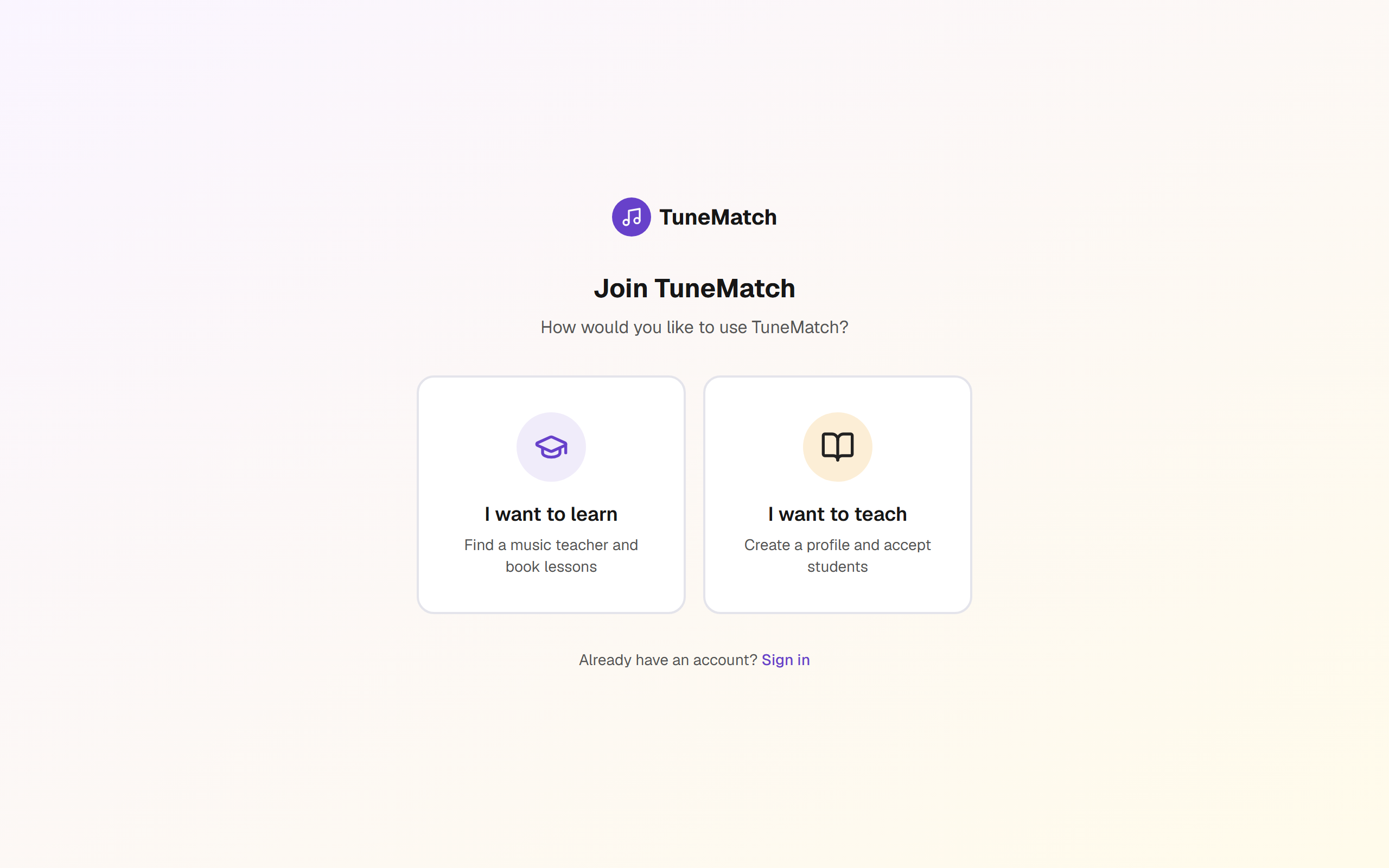
Go to tunematch.net/register and choose I want to learn.
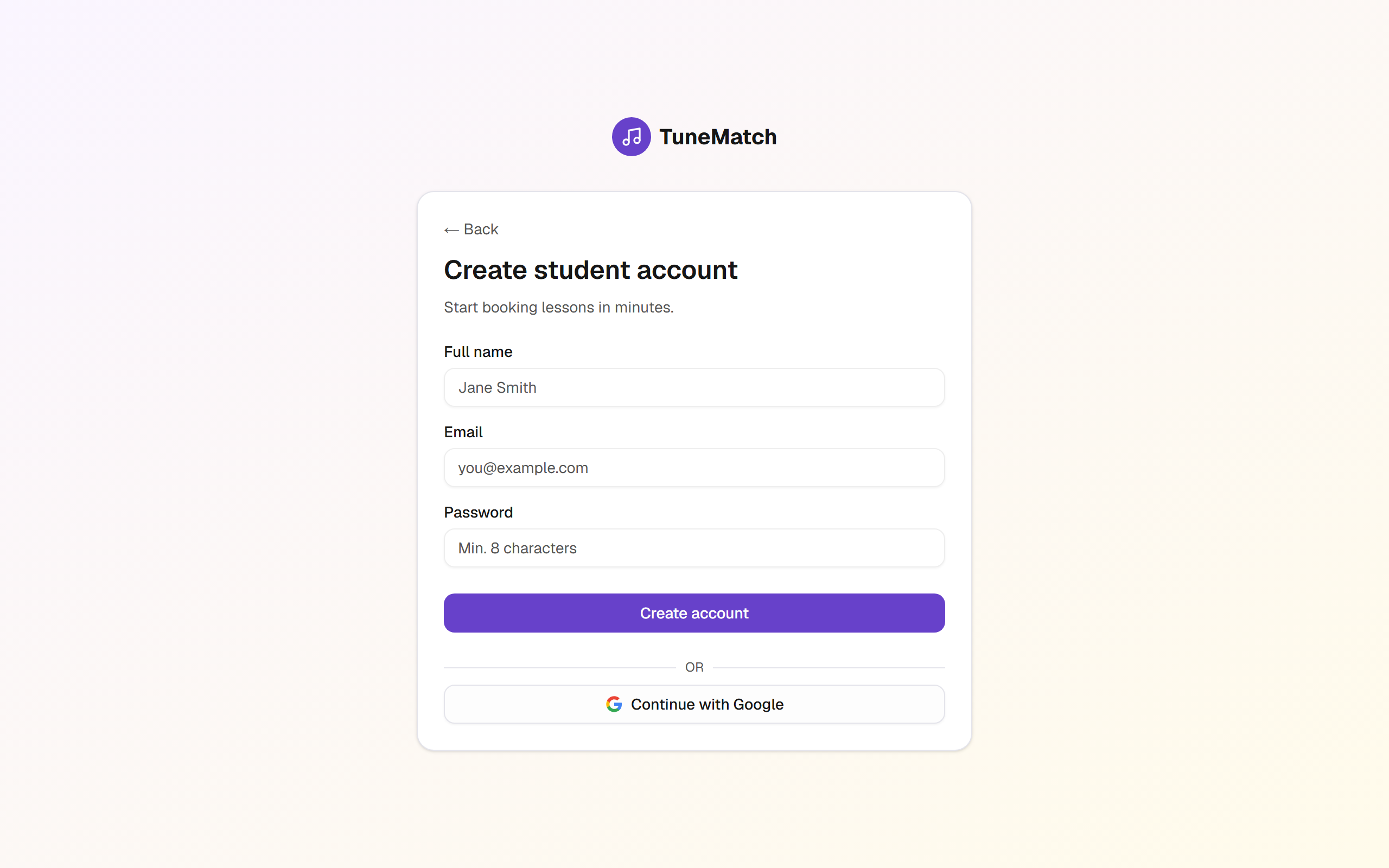
Fill in your name, email, and a password (at least 8 characters). You can also continue with a Google account.
After signup you'll land directly on your dashboard. No email verification required to start browsing teachers.
2. Finding a teacher
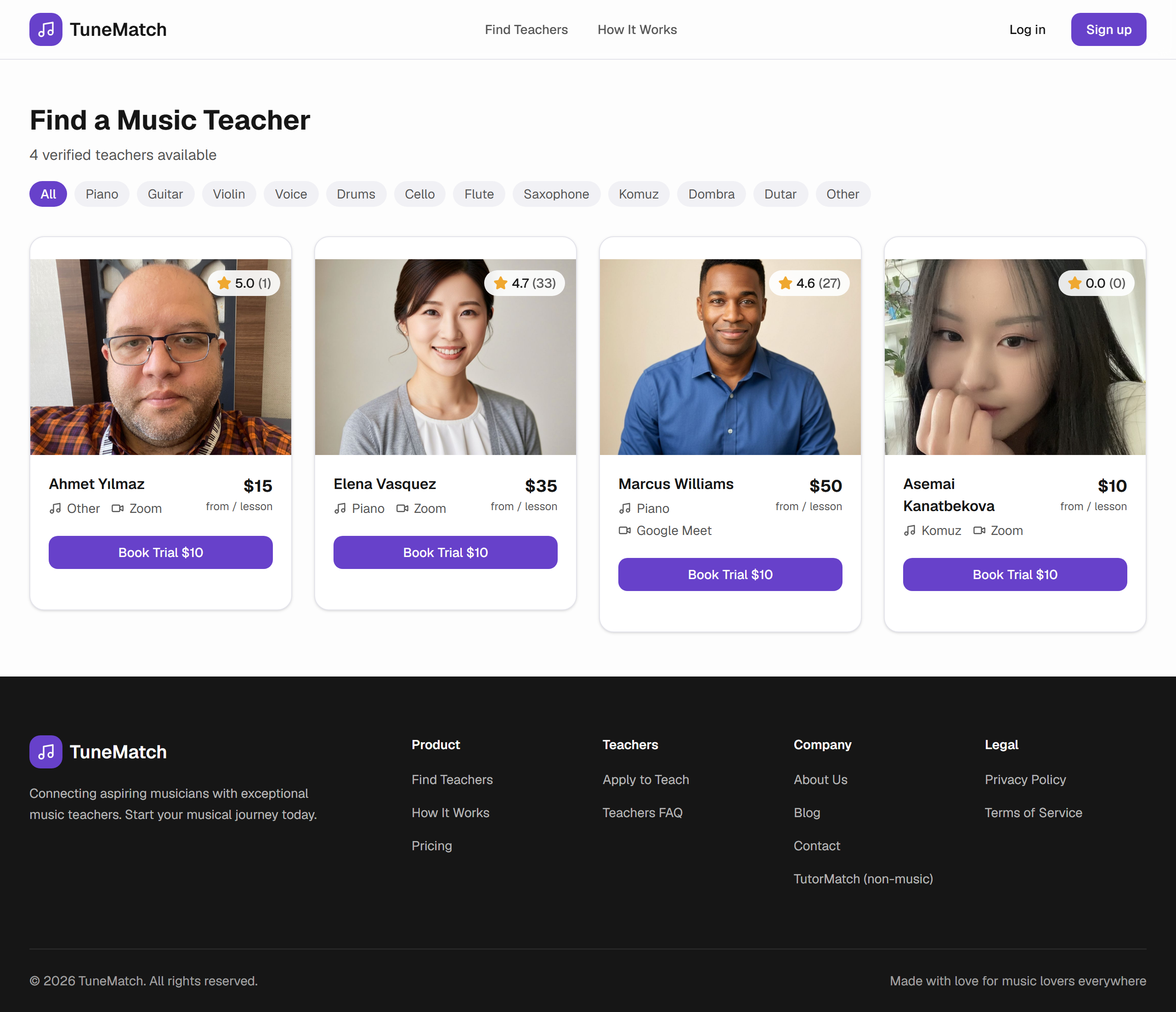
From the top-right Find New Teacher button (or tunematch.net/teachers) you'll see every approved teacher on the platform with their rating, review count, and lesson prices.
Click any teacher's card to see their full profile — bio, video platform, weekly availability, and student reviews.
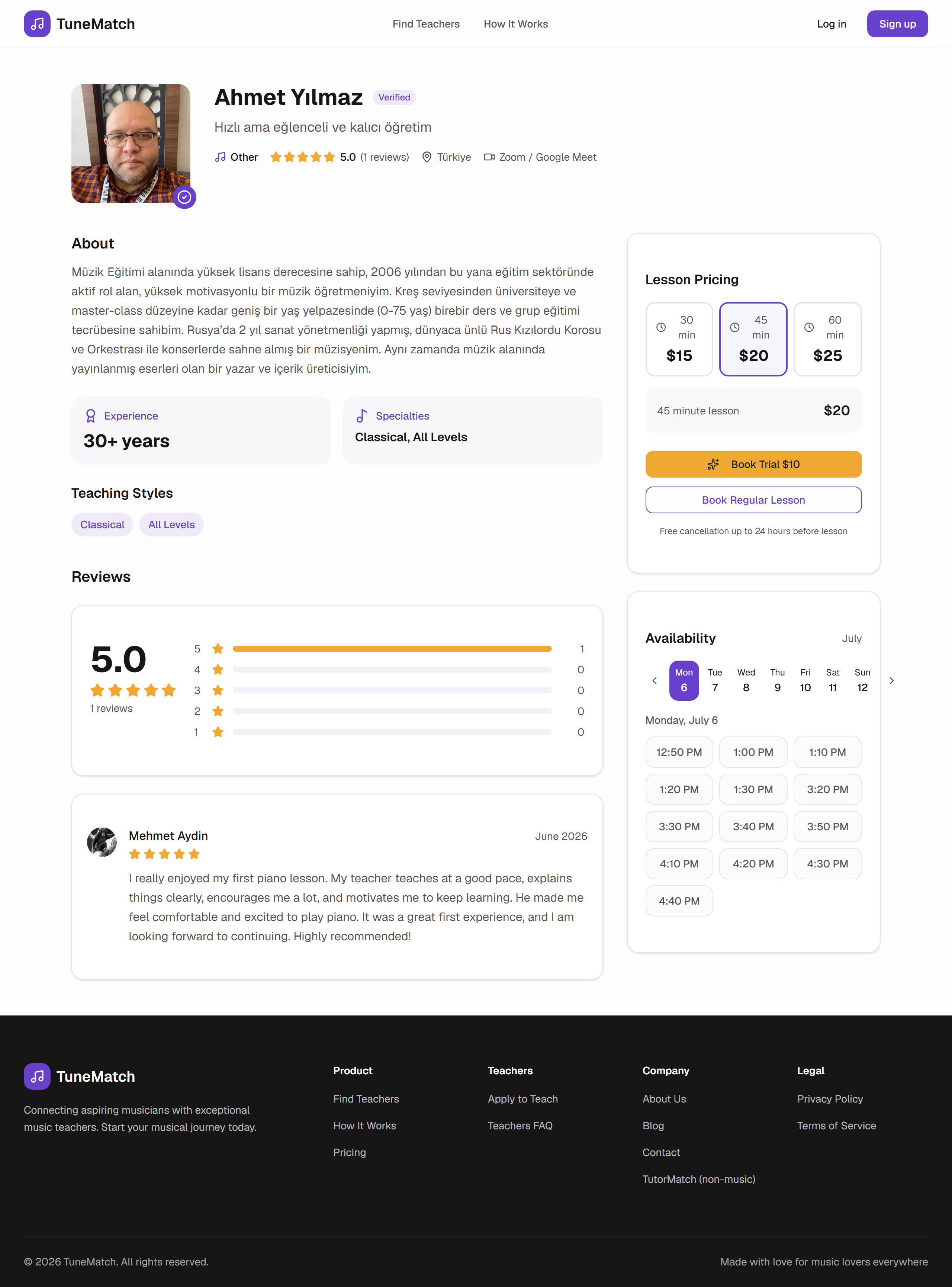
Two ways to start:
- Book a Trial — usually a single lesson at a reduced rate; a good way to see if the fit is right before subscribing.
- Book Recurring Lessons — weekly or bi-weekly at the same time slot, billed automatically through Stripe.
3. Booking a lesson
The booking flow is 3 steps.
Step 1 — Lesson options. Pick lesson length (30 / 45 / 60 min) and frequency (weekly or bi-weekly). Pricing updates in real time.
Step 2 — Time slot. Pick a day and time from the teacher's availability. Times shown are in your local timezone — the system auto-detects it from your browser.
Step 3 — Confirm & pay. Review the summary, then click Pay with Stripe. You'll be handed off to Stripe's secure checkout page to enter your card.
ℹ️ What "Platform fee" means
Bookings made through the public teacher list carry a 10% platform fee on top of the lesson price. Bookings that come through a teacher's own share link have no platform fee — the teacher covers it.
After payment, you'll land back on your dashboard with the first lesson scheduled. Recurring lessons renew automatically each week/bi-week.
4. Attending your lesson
Your Upcoming Lessons page lists every scheduled lesson with:
- Teacher name & photo
- Date, time (in your timezone), and duration
- Video platform (Zoom, Google Meet, etc.)
- A Join Lesson button that becomes active close to lesson time
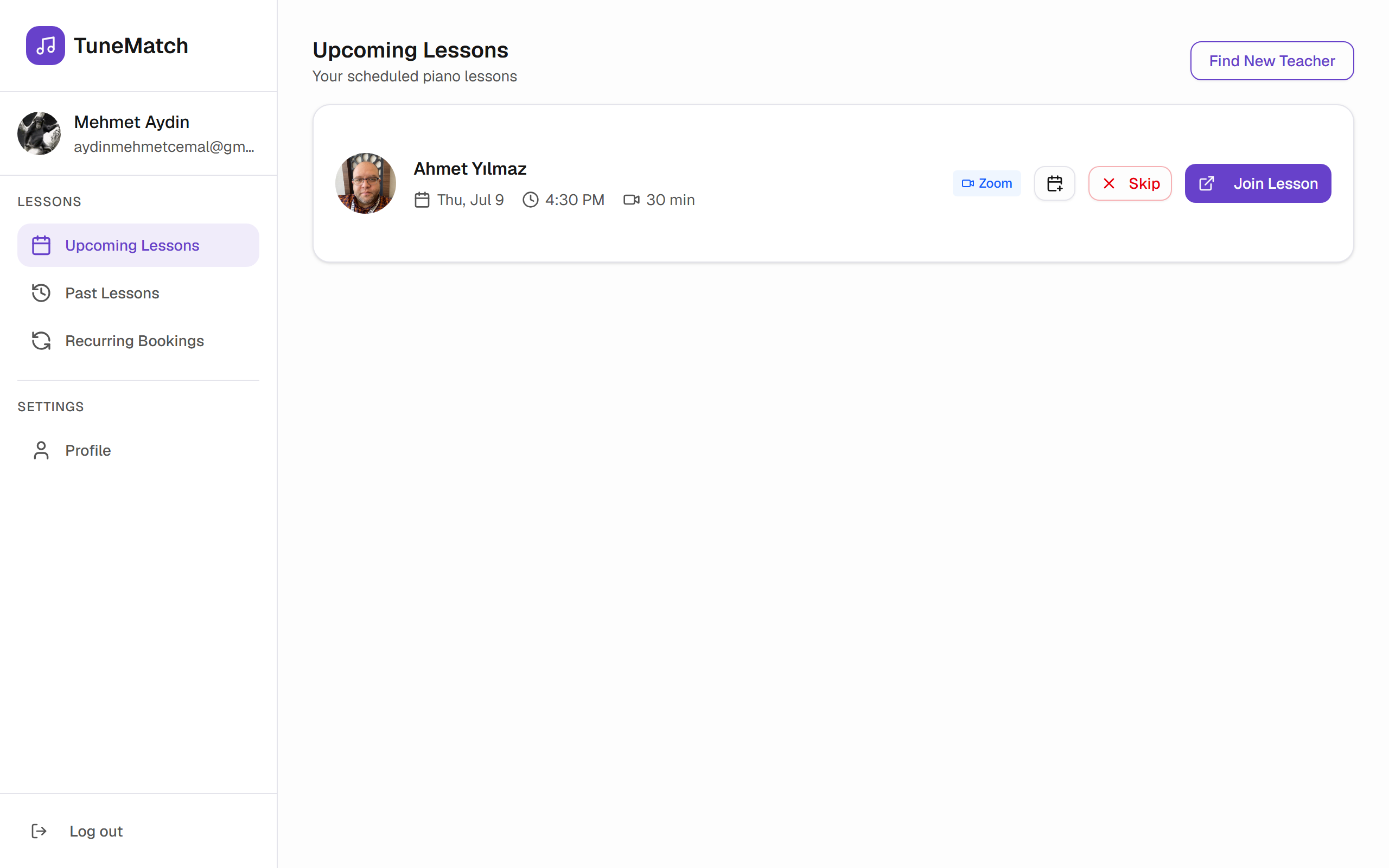
One hour before your lesson you'll receive an email reminder with the meeting link. Click Join Lesson in your dashboard or the link in the email — whichever is closer at hand.
If you can't make it, click the Skip button on the lesson card. Skipping ahead of time avoids no-show flags. Refunds for skipped lessons follow the cancellation policy in section 5.
5. Managing your subscriptions
The Recurring Bookings sidebar tab lists every active subscription — one card per teacher/schedule combination.
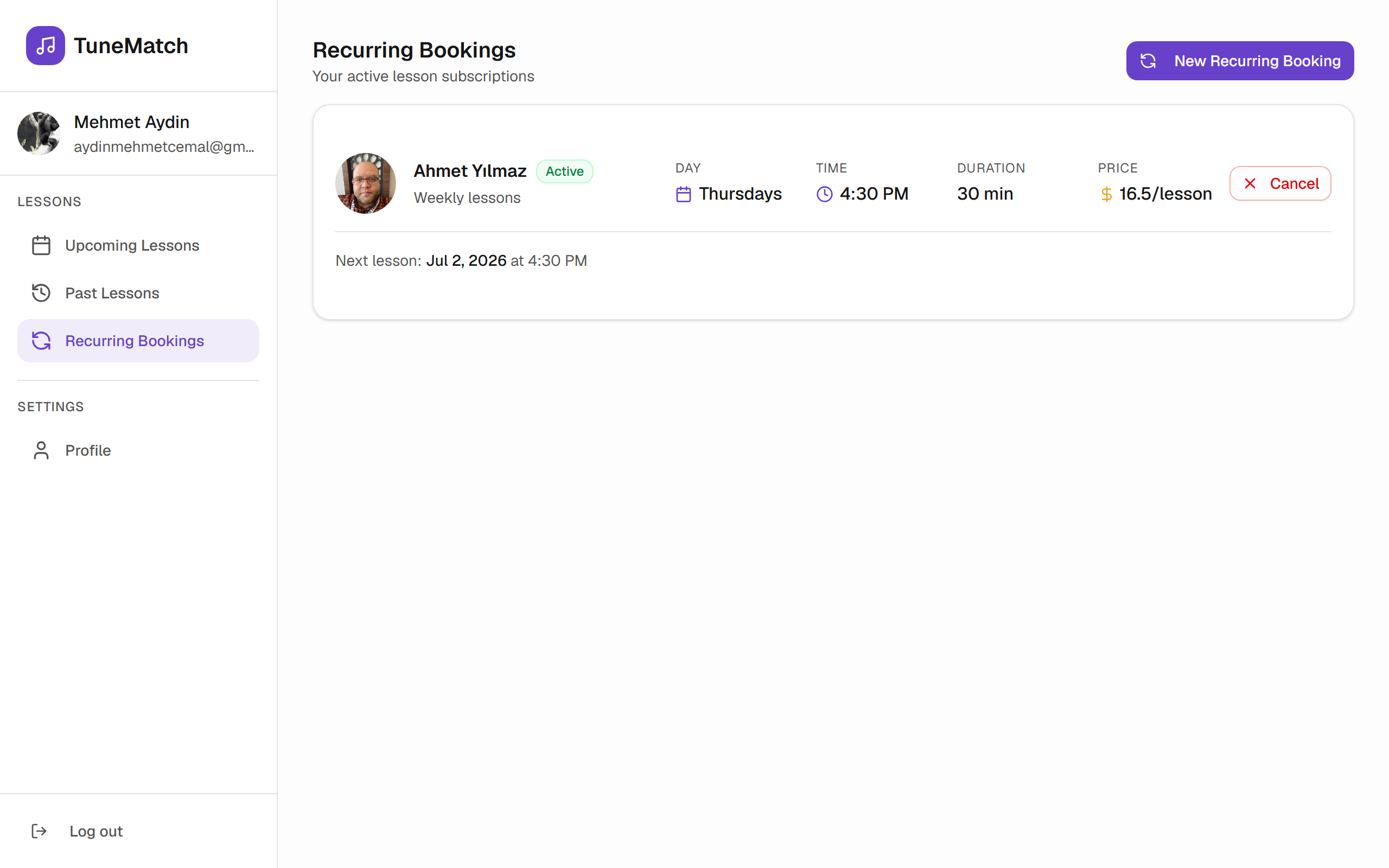
Each card shows:
- Teacher, day, time, duration, price per lesson
- Status — Active, Past Due (payment failed), or Cancelling
- Next lesson date
- A Cancel button
When you cancel:
- Lessons already paid for stay on your schedule until the end of the current billing period.
- Future lessons are cancelled and won't be billed.
- Lessons cancelled more than 24 hours before start are refunded automatically. Later cancellations are not refunded (the teacher's slot was reserved).
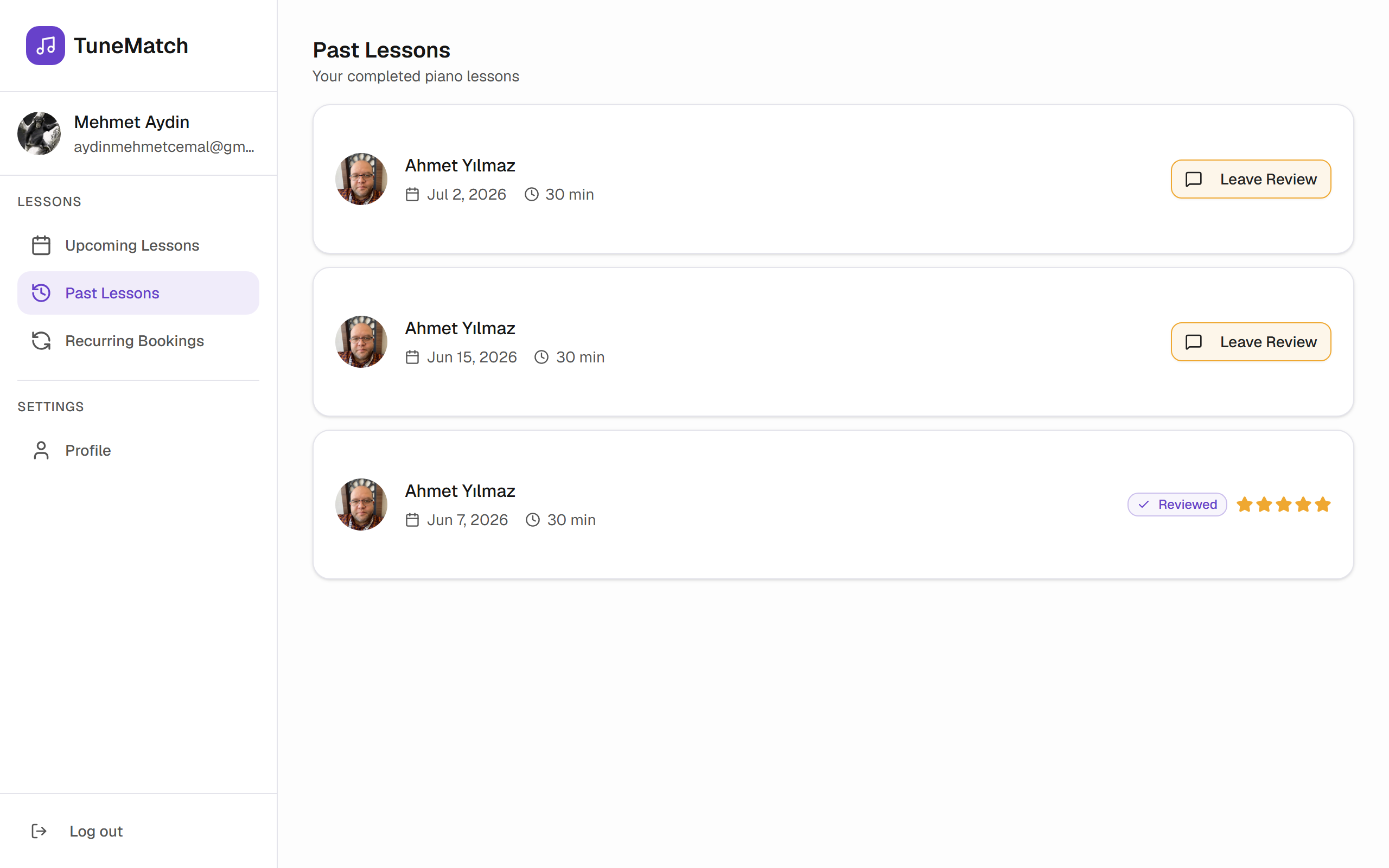
Past Lessons shows every completed lesson you can look back on and leave a review for.
6. Notifications
Under Settings → Notifications you'll see what TuneMatch sends you:
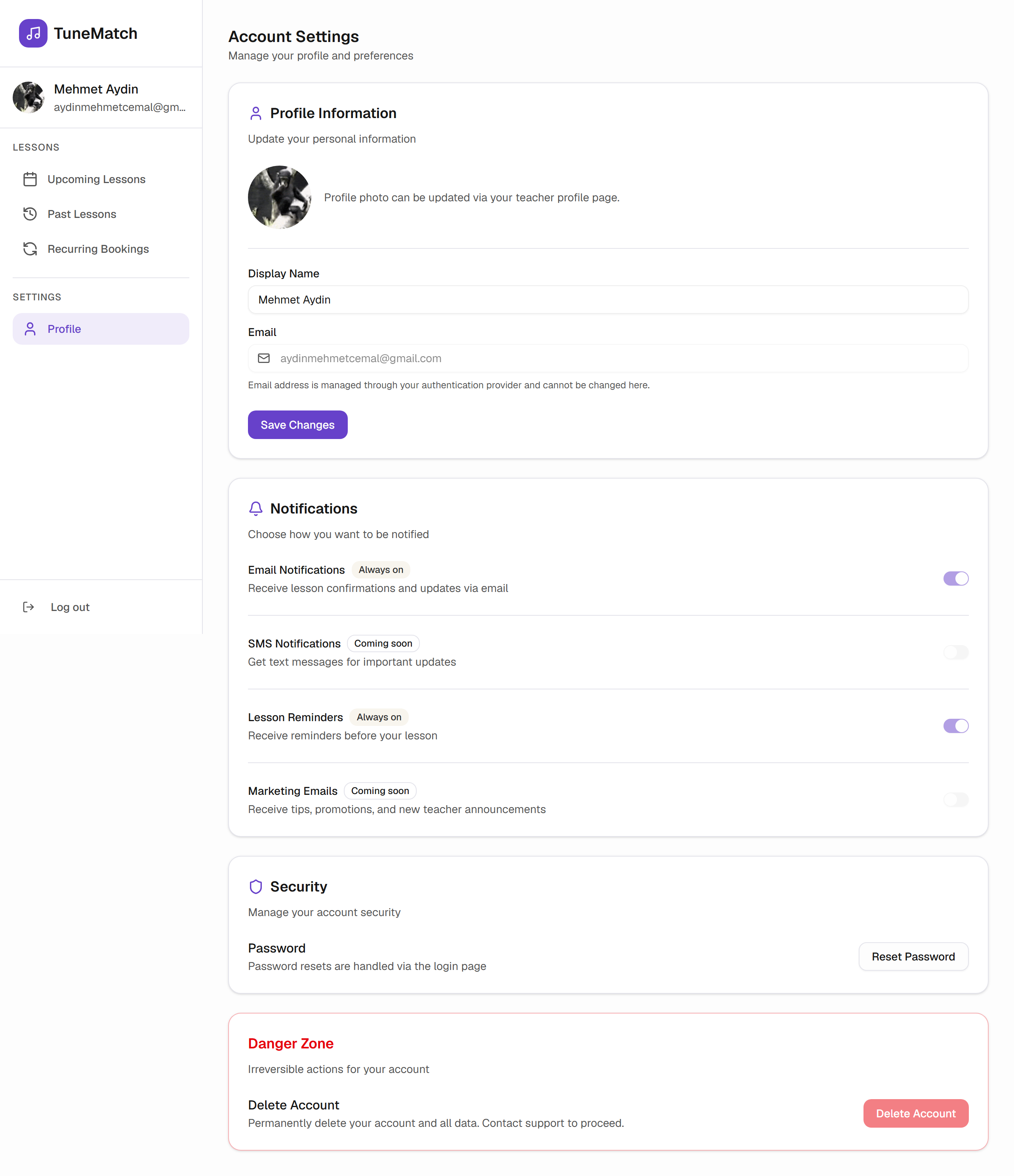
- Email Notifications — Always on. Confirmation emails on booking and payment, plus lesson reminders.
- Lesson Reminders — Always on. Sent ~1 hour before each lesson.
- SMS Notifications — Coming soon.
- Marketing Emails — Coming soon.
7. Frequently asked questions
Do I need to install any software?
No. Lessons happen in your teacher's chosen video platform (Zoom, Google Meet, etc.) — most work in a browser. Zoom offers a desktop client if you prefer.
What if my teacher cancels a lesson?
You'll get an email notification and the lesson is refunded automatically.
Can I switch teachers?
Yes. Cancel your current subscription (see section 5) and book with a new teacher. No penalty.
Can I get a lesson recording?
That's up to your teacher — TuneMatch doesn't record lessons automatically.
How does the trial work?
A trial is a single lesson at a discounted price. You're not automatically enrolled in a subscription — you decide after the trial whether to book recurring lessons.
When does Stripe charge me?
For recurring subscriptions, Stripe charges you at the start of each billing cycle (weekly or bi-weekly). Cards on file are handled entirely by Stripe — TuneMatch never sees your card number.
What if payment fails?
Stripe will retry the charge up to 4 times over ~10 days (Smart Retries). Your subscription shows Past Due on the Recurring Bookings tab during that window. If all retries fail, the subscription is cancelled.
8. Support
- Email: info@tunematch.net
- Password reset: tunematch.net/forgot-password
- Refund questions or account issues: email support with the affected teacher and lesson date.
Response time is usually under one business day.
TuneMatch is a marketplace connecting piano students with independent teachers. Payments processed by Stripe. Lessons happen on third-party video platforms chosen by each teacher.