Welcome to TuneMatch
TuneMatch is a marketplace that matches students with independent piano teachers for recurring online lessons. This guide walks you through everything you need — applying, setting up your profile, receiving bookings, and getting paid.
In this guide
- Applying to teach
- Setting up your profile
- Availability and pricing
- Getting bookings
- Running your lessons
- Payouts and taxes
- Frequently asked questions
- Support
1. Applying to teach
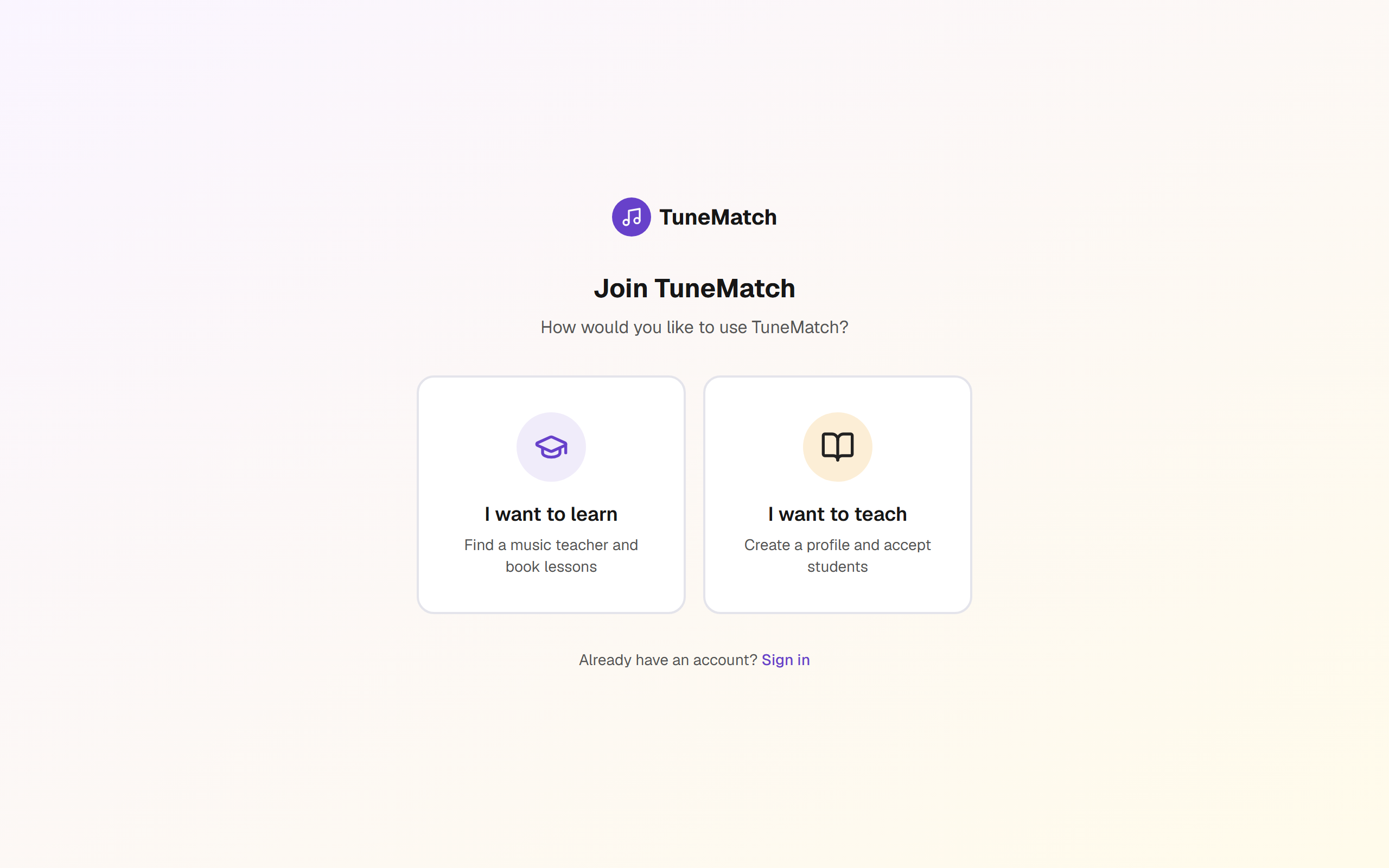
Go to tunematch.net/register and choose I want to teach.
Fill in your details plus a short teaching bio (50+ characters), your preferred video platform, and at least one lesson-length price (30 / 45 / 60 min).
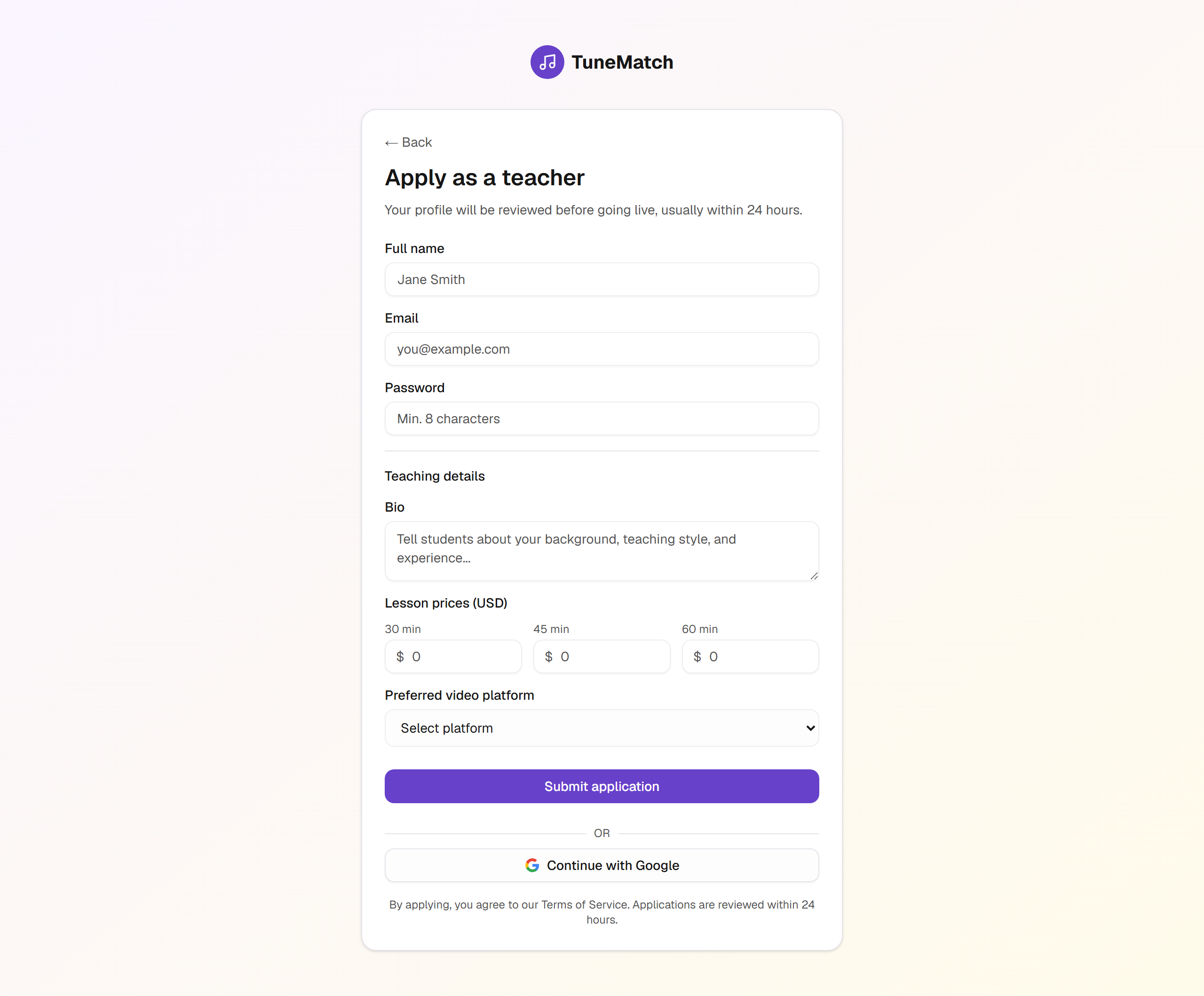
Applications are reviewed personally, usually within 24 hours. You'll receive an email as soon as your profile is live.
ℹ️ Alpha stage — TutorMatch (tutoring vertical)
If you signed up on the TutorMatch subdomain (tutors.safescreensinitiative.org), review is manual and may take a few days. Same platform under the hood; the review bar is higher.
2. Setting up your profile
Once approved, your profile appears in the public teachers list. Students see:
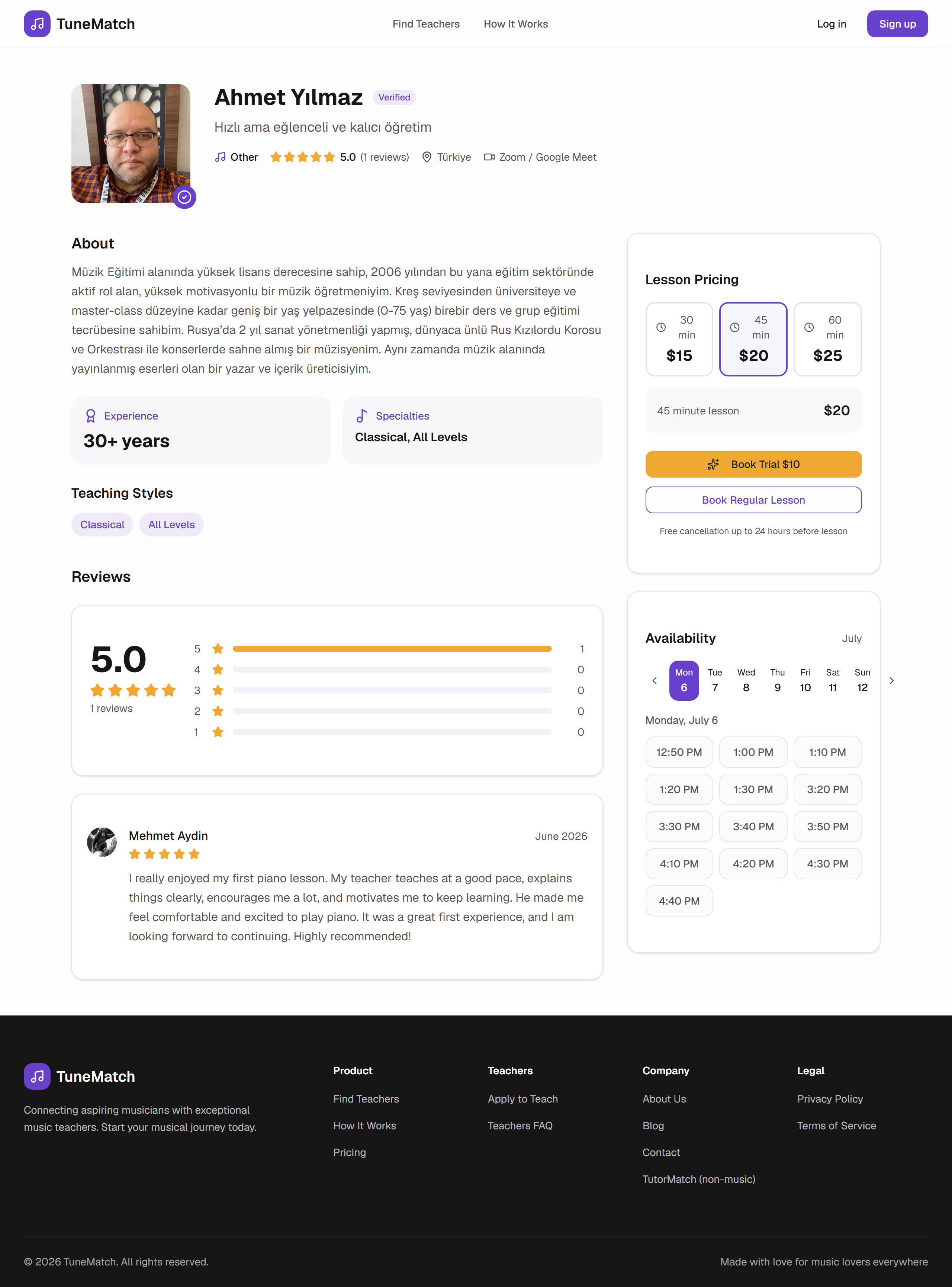
- Your name, photo, and bio
- Your ratings and review count (built up over time)
- Your lesson prices per duration
- Your video platform of choice
- A Book Trial or Book Recurring CTA
Editing your profile — from your dashboard, open the Profile section. Update bio, prices, and video platform any time. Changes are live immediately.
3. Availability and pricing
Availability — set the days and time windows when you're open for lessons. Students only see slots that:
- Fall within your availability
- Are not already booked
- Are far enough in the future to be bookable

Times are shown to each student in their local timezone. Availability is stored in your timezone (set on your teacher record).
Pricing — per lesson-length, in USD.

ℹ️ Revenue share
- US teachers: 90 / 10 split. TuneMatch keeps 10% for platform + payment processing.
- Non-US teachers: 85 / 15 split. The extra covers cross-border payment costs.
- Bookings via your personal share link: 95 / 5 split. Direct-from-teacher bookings carry no student platform fee, and TuneMatch takes only 5%.
4. Getting bookings
Students book you three ways:
- Public search — they browse
/teachersand click into your profile. - Your share link — send prospective students the direct link to your profile (
/teacher/YOUR_ID?ref=direct). They get the no-student-fee price. - Trial — some students test the fit with a single trial lesson before subscribing.
Every booking creates a Stripe subscription (for recurring) or a one-off charge (for a trial). You get an email confirmation immediately.
Bookings list — see every upcoming and past lesson in one place:

Each row shows the student, date/time (in your timezone), status, and — for a lesson in the next 30 minutes — a Join Lesson button.
5. Running your lessons
Video platform — TuneMatch sends the meeting link in the confirmation email to both you and the student. Some teachers set a persistent meeting URL in their profile; others create a fresh link per lesson.
Reminders — the platform sends both you and the student a reminder ~1 hour before the lesson.
No-shows and lateness
- If a student is more than 15 min late without notice, mark the lesson as no-show from the bookings view. TuneMatch reviews these to prevent repeat abuse.
- If you need to cancel a lesson, do it as far in advance as possible. Last-minute teacher cancellations refund the student in full.
Recording — TuneMatch doesn't record lessons. If you and the student agree to record, use your video platform's recording feature (Zoom, Meet, etc.) and share the file directly.
6. Payouts and taxes
Depending on how your account is configured, TuneMatch pays you one of three ways:
Stripe Connect (default for most US teachers)
Payments split at the moment of charge — your share lands in your connected Stripe account automatically, based on your payout schedule with Stripe (usually 2 business days).
Wise (default for many non-US teachers)
The full charge stays in the TuneMatch balance; your share accrues under Teacher Balance. TuneMatch pushes payouts to your Wise account on a monthly cycle (or on-demand for larger balances).
Manual bank transfer
Same as Wise — your share accrues, paid by bank transfer on request. Slower but sometimes necessary for regions Wise doesn't cover.
Taxes — TuneMatch does not withhold taxes. You're responsible for reporting your teaching income. For US teachers, Stripe issues a 1099 for tax years where your earnings exceed the reporting threshold.
7. Frequently asked questions
How fast is approval?
Music vertical: usually under 24 hours. Tutor vertical: 2-4 days (higher bar during alpha).
Can I set different prices for different students?
Not per-student, no. Prices are per lesson length. But you can offer promo pricing via your share link.
Can I block specific dates (holidays, sick days)?
Yes — remove the slot from availability. Students already booked into those slots need to be manually notified; use the Skip flow from the bookings view.
How does refund policy work when the student cancels?
Auto-refunded if cancelled >24 hours out. Later cancellations aren't refunded — you keep your share of that lesson.
Can I remove a difficult student?
Yes. Cancel their subscription from your bookings view; they can find another teacher.
Do I need my own Zoom Pro account?
Depends on lesson length. Free Zoom accounts limit calls to 40 min — fine for 30 min lessons, cuts off 45/60 min. Google Meet is unlimited on a free Google account for 1-on-1.
When do reviews go live?
Immediately after the lesson is marked completed. You can respond to reviews from your dashboard.
8. Support
- Email: info@tunematch.net
- Payout questions: email support with your teacher ID and the affected month.
- Approval questions: if you don't hear back within the expected window, email support with your application email.
Response time is usually under one business day.
TuneMatch is a marketplace connecting piano students with independent teachers. Payments processed by Stripe. Cross-border payouts through Wise where applicable. Lessons happen on third-party video platforms chosen by each teacher.